Microsoft Edge: AI browser icon
Tools

Microsoft Edge: AI browser

by Microsoft Corporation

Enhance browsing with AI-powered features and Copilot.

4.7Rating
N/AReviews
100,000,000+Downloads

Overview

Microsoft Edge: AI browser revolutionizes your mobile browsing experience by integrating advanced AI-powered tools and Copilot features. Designed by Microsoft Corporation, this communication app not only delivers fast and secure web access but also enhances productivity through intelligent assistance. Whether you’re searching for information, managing tasks, or exploring new content, Edge’s AI capabilities streamline your workflow and provide personalized recommendations. Experience seamless multitasking with built-in tools like smart summarization, real-time translation, and context-aware suggestions, all within a sleek and user-friendly interface. Perfect for users who want to combine communication and browsing, Microsoft Edge: AI browser redefines how you interact with the web on your Android device.

Why people like it

  • AI-powered Copilot for smarter browsing and task assistance
  • Instant summarization of web pages and articles
  • Real-time translation of content in multiple languages
  • Integrated chat and voice commands for hands-free navigation
  • Personalized recommendations based on browsing habits
  • Enhanced security features including tracking prevention and AdBlock

Screenshots

Gallery row for the app detail page.

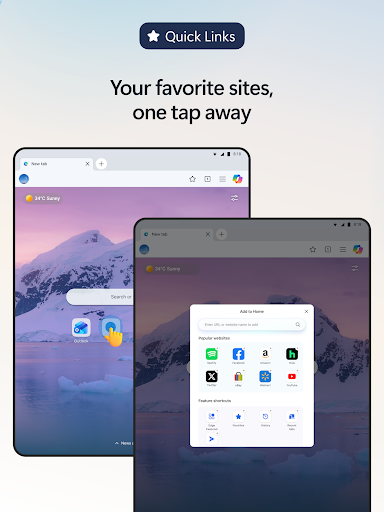
Microsoft Edge: AI browser screenshot

Short review

Microsoft Edge: AI browser is a solid choice in the Tools category. It offers a polished experience, clean presentation, and a direct Play Store download link for users who want trusted listings.

FAQ

Do I need a Microsoft account to use AI features?

Yes, signing in with a Microsoft account is required to access AI-powered Copilot functionalities.

Can I use Microsoft Edge AI browser offline?

Most AI features need an active internet connection, but basic browsing is available offline.

Is my privacy protected while using AI features?

Microsoft Edge includes advanced privacy settings and tracking prevention to safeguard your data.

Does the app support voice commands?

Yes, Microsoft Edge AI browser supports integrated voice commands for hands-free navigation.