Lightroom Photo & Video Editor icon
Tools

Lightroom Photo & Video Editor

by Adobe

The perfect AI photo editor for portraits, travel photography, and food photos.

4.5Rating
N/AReviews
100,000,000+Downloads

Overview

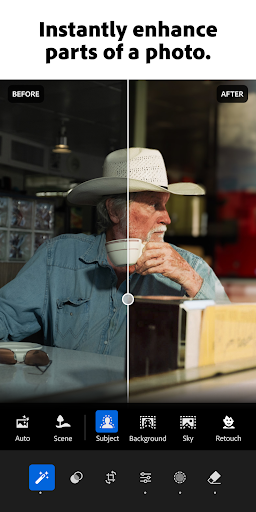
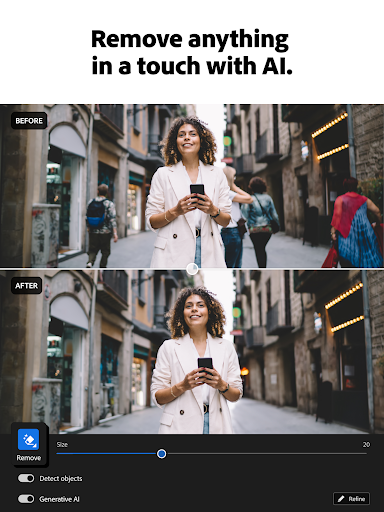
Lightroom Photo & Video Editor by Adobe is the ultimate AI-powered app designed to elevate your photography and videography. Whether you're capturing stunning portraits, vibrant travel scenes, or mouthwatering food shots, Lightroom offers intuitive tools and advanced editing capabilities to bring your creative vision to life. Its smart AI features help enhance details, adjust lighting, and apply professional-grade filters effortlessly. Perfect for both beginners and seasoned photographers, this app transforms ordinary images into captivating masterpieces right from your Android device. Experience seamless editing with a user-friendly interface and powerful cloud syncing that keeps your projects accessible across devices. Lightroom is your go-to solution for producing polished photos and videos that stand out on social media and beyond.

Why people like it

  • AI-powered auto-enhance for quick, professional edits
  • Advanced portrait editing tools including skin smoothing and eye enhancement
  • Customizable presets and filters tailored for travel and food photography
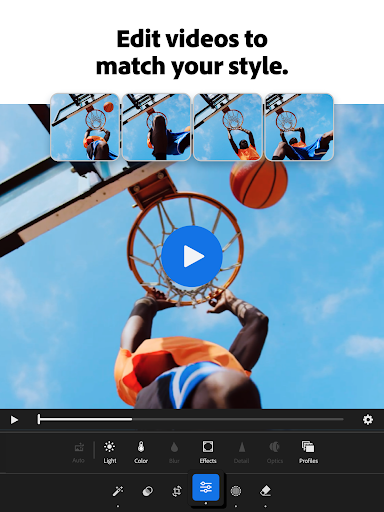
  • Video editing capabilities with color grading and adjustment controls
  • RAW image support for high-quality editing and detail preservation
  • Cloud synchronization to access and edit photos across multiple devices

Screenshots

Gallery row for the app detail page.

Lightroom Photo & Video Editor screenshot

Short review

Lightroom Photo & Video Editor is a solid choice in the Tools category. It offers a polished experience, clean presentation, and a direct Play Store download link for users who want trusted listings.

FAQ

Is Lightroom Photo & Video Editor free to use?

Lightroom offers a free version with essential editing tools, but advanced features and premium presets require a subscription.

Can I edit RAW photos in the app?

Yes, Lightroom supports RAW image editing, allowing you to preserve and enhance image quality effectively.

Does the app support video editing?

Yes, Lightroom includes video editing features such as color grading and exposure adjustments.

Can I sync my edits across devices?

With an Adobe Creative Cloud account, you can sync your photos and edits across multiple devices seamlessly.