Google Photos icon
Tools

Google Photos

by Google LLC

The home for your memories. Relive, share, and organize your photos.

4.4Rating
N/AReviews
10,000,000,000+Downloads

Overview

Google Photos is your ultimate companion for preserving and celebrating life’s most precious moments. Developed by Google LLC, this app offers a seamless way to back up, organize, and access your photos and videos anytime, anywhere. Whether you’re capturing everyday memories or special events, Google Photos intelligently categorizes your media, making it effortless to find and relive your favorite experiences. With powerful editing tools and easy sharing options, you can enhance your images and share them with friends and family instantly. Enjoy a clutter-free gallery that grows with you, ensuring your memories are safe and beautifully displayed across all your devices.

Why people like it

  • Automatic photo and video backup with cloud storage
  • Smart organization using AI to group faces, places, and things
  • Powerful editing tools including filters, cropping, and adjustments
  • Easy sharing options via links or social networks
  • Create albums, movies, collages, and animations automatically
  • Quick search functionality by people, places, and dates

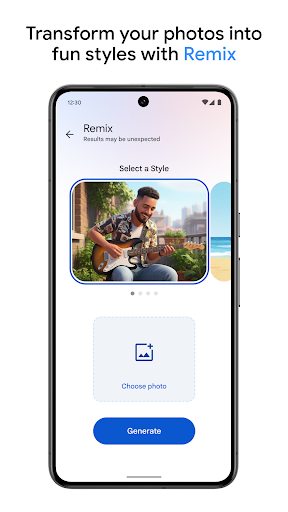
Screenshots

Gallery row for the app detail page.

Google Photos screenshot

Short review

Google Photos is a solid choice in the Tools category. It offers a polished experience, clean presentation, and a direct Play Store download link for users who want trusted listings.

FAQ

Is Google Photos free to use?

Yes, Google Photos offers free storage for high-quality photos and videos, but original quality uploads count against your Google Drive storage quota.

Can I access my photos offline?

Photos and videos already downloaded to your device can be viewed offline, but cloud-stored content requires internet access.

How does Google Photos organize my media?

The app uses AI to automatically group photos by people, places, and objects, making it easier to search and browse your collection.

Can I share my albums with others?

Yes, Google Photos allows you to share albums, photos, and videos via links or directly through social media and messaging apps.